How Are Processes Optimized by Automation? A Practitioner's Breakdown

Automation doesn't optimize a process by making it faster in some vague sense - it optimizes a process by removing specific categories of waste: handoff delays, manual re-entry, inconsistent decision rules, and the cognitive load of remembering what step comes next. How are processes optimized by automation? In practice, by replacing variable human execution with a fixed, repeatable sequence that runs the same way every time, then layering monitoring on top so you can see where the sequence still breaks.
That distinction matters because most explanations of process automation stop at "it saves time." That's true but incomplete. The real mechanism is standardization first, speed second. A process that runs inconsistently can't be meaningfully sped up - you'd just be arriving at the wrong outcome faster.
What Is Business Process Optimization, Exactly?
Business process optimization is the discipline of analyzing an existing workflow, identifying where it loses time, quality, or money, and restructuring it to remove those losses - independent of whether automation is involved. Automation is one lever among several (others include eliminating steps entirely, reordering them, or changing who performs them). According to process optimization tools are designed to help organizations identify inefficiencies and implement improvements, which is a useful reminder that the tooling exists to support analysis, not replace it.
The sequence that actually works, in order: map the current process as it really happens (not as the org chart says it happens), identify the three or four steps that cause the most delay or error, decide whether to eliminate, simplify, or automate each one, then implement and measure. Skipping the mapping step is the single most common reason automation projects underdeliver - you end up automating a broken sequence, which just produces errors faster.
How Are Processes Optimized by Automation? The Core Mechanisms
There are four distinct mechanisms at work, and most articles on this topic blur them together as one thing called "efficiency." They're not the same, and knowing which one you're targeting changes your tool choice.
1. Removing manual data transfer
Every time a human copies a number from one system into another - an invoice total from an email into accounting software, a lead's details from a form into a CRM - you introduce a point of delay and a point of error. Automation platforms like Zapier, Make, or n8n connect those systems directly so the data moves without a person touching it. This is the single highest-leverage automation for most small teams because it's low-risk (no judgment calls involved) and the failure mode (a typo, a missed field) is common and costly.
2. Enforcing consistent decision rules
When a process includes a decision - route this ticket to tier 2 support if it mentions "refund," approve this expense if it's under a certain threshold - a human applies that rule with some variance depending on mood, workload, and attention. An automated rule applies it the same way every time. This is where automation genuinely outperforms manual execution, not just in speed but in reliability of outcome.
3. Triggering the next step without a handoff delay
In manual workflows, step 2 often waits for someone to notice that step 1 finished. A support ticket sits in a queue until someone checks it. An automated trigger - a new form submission, a status change, a scheduled time - starts the next step immediately. Siit's definition of process automation frames this clearly: the goal is to make processes faster, more accurate, and scalable by removing exactly this kind of friction.
4. Generating visibility that manual processes don't have
A spreadsheet-and-email process has no audit trail unless someone builds one manually. An automated workflow logs every execution, every error, every timestamp by default. This is an underrated benefit: automation doesn't just make the process run - it makes the process visible enough to keep improving.
"Automation optimisation is the process of refining and enhancing existing processes to achieve superior efficiency, productivity, and accuracy."
Process Optimization Techniques Worth Knowing
A few techniques recur across industries, and understanding them helps you avoid reinventing bad wheels:
- Bottleneck analysis - find the single slowest step in the chain; optimizing anything else first gives you no net gain because the bottleneck still caps total throughput.
- Standard Operating Procedures (SOPs) before automation - you can't automate a process reliably if three people on your team each do it differently. Document the one correct version first.
- Exception handling design - decide upfront what happens when the automated path fails (a payment declines, an API times out). Processes that only work on the happy path aren't actually optimized, they're fragile.
- Batching vs. real-time processing - not every step needs to run instantly. Some processes optimize better by running in scheduled batches (nightly data syncs) rather than triggering constantly, which reduces system load and cost.
If you want a deeper look at how these patterns apply across different business functions, this breakdown of real workflow automation patterns walks through twelve concrete examples rather than abstractions.
Process Optimization in Manufacturing vs. Knowledge Work
It's worth separating two contexts, because the word "process" means something different in each.

Process optimization in manufacturing typically targets physical throughput: reducing changeover time on a production line, minimizing material waste, balancing workstation load so no single station idles while others queue up. Sensors and programmable logic controllers (PLCs) automate the sequencing of physical steps, and the optimization goal is usually measured in units per hour or defect rate.
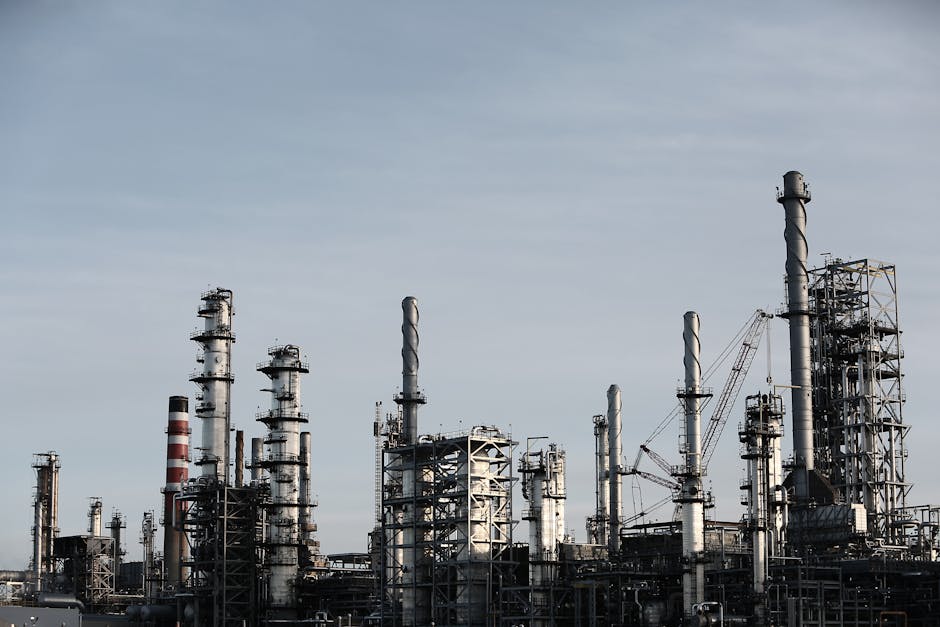
Process optimization in chemical engineering follows a related but distinct logic: here, automation controls continuous variables - temperature, pressure, flow rate - within tight tolerances that a human operator simply cannot hold steady by hand. Distributed control systems (DCS) adjust these variables in real time based on sensor feedback, and the optimization target is often yield or energy consumption per unit of output, not just speed.
Knowledge-work automation - the kind most readers of this article are dealing with - optimizes a different thing entirely: information flow between people and systems. There's no physical material to track, but the same underlying logic applies - find the bottleneck, standardize the rule, remove the manual handoff.
Process Optimization Tools and Software: What to Actually Use
The tool landscape splits into a few categories, and picking the wrong one is the most common implementation mistake:
- Integration/automation platforms (Zapier, Make, n8n) - best for connecting SaaS tools and moving data between them without code.
- RPA (Robotic Process Automation) (UiPath, Automation Anywhere) - best for automating interactions with legacy systems that have no API, by simulating clicks and keystrokes.
- Business Process Management (BPM) suites - best for complex, multi-department workflows that need formal approval chains and compliance tracking.
- Process mining software - analyzes system logs to show you where your actual process deviates from your documented process, which is often eye-opening.
If the process you're optimizing is specifically about producing and publishing content - a workflow most marketing teams still run manually, drafting, formatting, and publishing one article at a time - a platform like ForgR applies this same optimization logic to SEO content specifically: it automates the drafting, technical health checks, and SERP position monitoring that would otherwise eat several hours per article, every time, from a human writer and editor.
For a comparison of general-purpose automation software across these categories, see this practitioner's comparison of workflow automation software, and if cost is the blocker, this real pricing breakdown covers what each tier actually costs.
Is Automation a Job Killer or a Job Creator?
Neither answer in isolation is accurate - the honest answer is that automation reliably eliminates specific tasks within a role, not the role itself, for most of the roles small businesses actually automate. A customer support rep who no longer manually tags and routes every incoming ticket doesn't become redundant; they spend that reclaimed time on the tickets that actually need human judgment - the ambiguous complaint, the angry customer, the edge case the rule-based system couldn't classify. The jobs most exposed to full elimination are narrow, single-task roles with no judgment component (pure data entry, for example). Jobs that combine repetitive sub-tasks with judgment calls tend to get reshaped, not removed - the repetitive part gets automated, the judgment part gets more of the person's time.

How Does Automation Increase Productivity in Practice?
Productivity gains from automation come from three compounding sources, not one. First, direct time reclaimed from eliminated manual steps. Second, error reduction - fewer mistakes means less time spent on rework and correction, which is often a larger time sink than the original task. Third, and most overlooked: cognitive bandwidth. A person who no longer has to remember "did I follow up on that lead" or "did that invoice get sent" has more mental capacity left for work that actually requires thinking. Workflow automation, as the Process Excellence Network describes it, replaces manual or paper-based processes with digital tools - and that replacement is what unlocks all three productivity sources at once, not just the first one.
If you're mapping where to start, this guide on what entrepreneurs should automate first is a useful companion piece, and for teams specifically scaling content output, this piece on scaling content creation with AI automation applies the same bottleneck-first logic to publishing workflows.
Where Automation Doesn't Optimize Anything
Automating a bad process makes it a faster bad process. This is the honest caveat most vendor content skips. If your approval chain has five people signing off on something that should need one, automating the routing doesn't fix the underlying organizational problem - it just moves the bottleneck faster toward the same five-person pile-up. Fix the process logic before you automate the mechanics. That ordering - simplify, then automate, never the reverse - is the single highest-value lesson from process optimization work, and it's the one most commonly skipped under deadline pressure.
The practical next step: pick one process you run at least weekly, write down every step exactly as it happens today (not the ideal version), and circle the step that causes the most delay or the most errors. That's your automation candidate - not the whole process, just that one step.
Key takeaways
- Automation optimizes processes through four distinct mechanisms: removing manual data transfer, enforcing consistent rules, eliminating handoff delays, and creating audit visibility
- Standardize the process with an SOP before automating it — automating an inconsistent process just produces errors faster
- Bottleneck analysis matters more than blanket automation: fix the slowest step first, since optimizing anything else won't raise total throughput
- Manufacturing and chemical engineering automation optimize physical and continuous variables (throughput, temperature, pressure); knowledge-work automation optimizes information flow between people and systems
- Automation tends to eliminate narrow single-task roles while reshaping judgment-based roles rather than removing them entirely
- Design exception handling upfront — a process that only works on the happy path is fragile, not optimized
Frequently asked questions
What is an example of process automation?
A common example is an automated invoice workflow: when a new invoice arrives by email, an automation tool extracts the amount and vendor, enters it into accounting software, and routes it for approval if it exceeds a set threshold — with no manual data entry required.
Is automation a job killer or a job creator?
It's neither in absolute terms. Automation reliably eliminates narrow, single-task work (like pure manual data entry) while reshaping roles that combine repetitive tasks with judgment calls, freeing people to spend more time on the judgment-heavy parts of their job.
What is business process optimization?
It's the practice of analyzing an existing workflow to find where it loses time, quality, or money, then restructuring it by eliminating, simplifying, or automating specific steps. Automation is one tool used in this process, not a synonym for it.
How does automation increase productivity?
Through three compounding effects: eliminating manual steps directly saves time, reducing errors cuts down on rework, and removing the mental load of tracking manual tasks frees up focus for higher-value work.
What's the difference between process optimization and process automation?
Process optimization is the broader analysis of improving a workflow — it can involve eliminating steps or reassigning them, with no software involved. Process automation is one specific technique within that broader practice: using software to execute steps without manual intervention.
What are common process optimization techniques?
Bottleneck analysis, documenting standard operating procedures before automating, designing exception handling for failure cases, and choosing between batch processing and real-time triggers depending on the process's urgency.